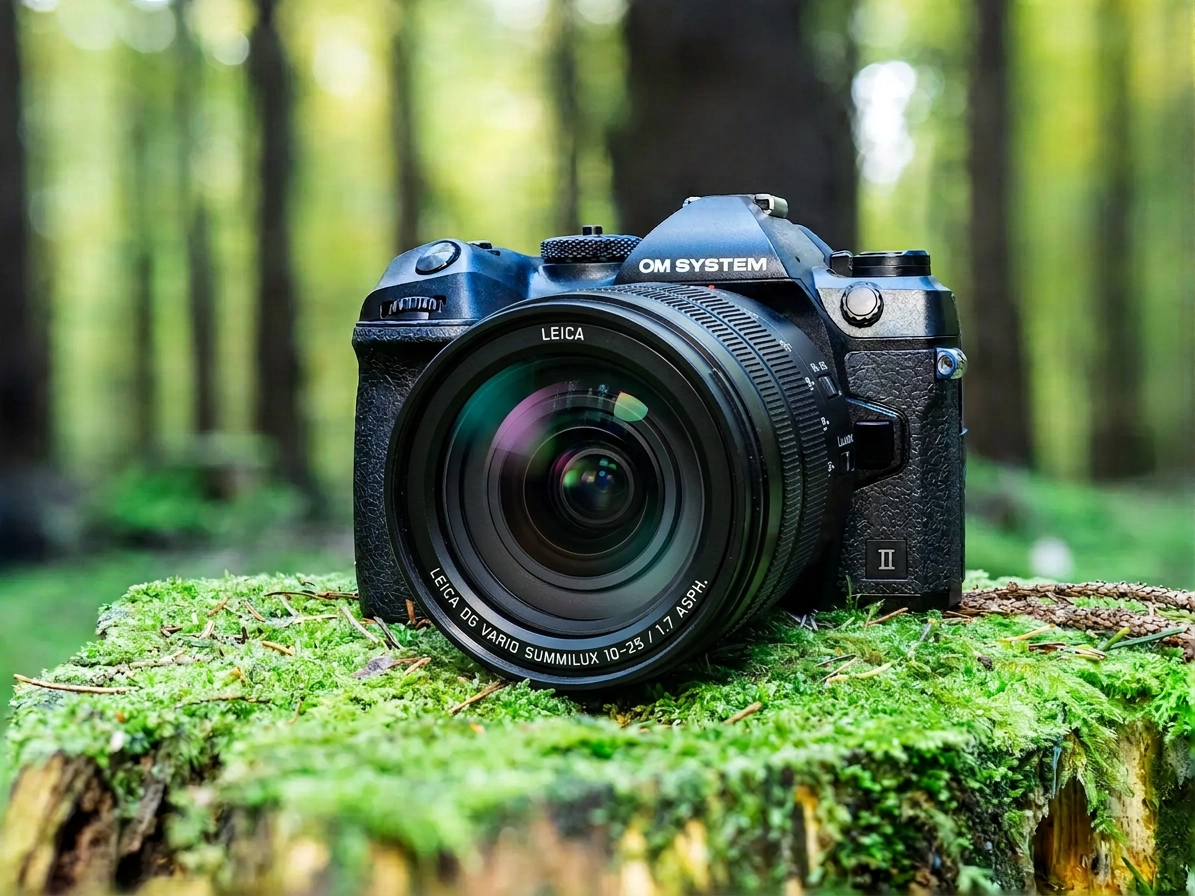
I read on 43rumors about a small program that’s supposed to teach your camera things OM Digital Solutions never intended. The aperture ring on Panasonic lenses suddenly works. ProCapture SH2 gets additional frame rates. It’s called “db firmware,” comes from the community and costs nothing.
Would you install that on your camera?
So you know what to expect here: I haven’t installed the tool. With the help of Claude, I looked at what it does to the firmware. So this isn’t a hands-on test, just my assessment. There are no instructions here either. I simply don’t want to be responsible if you install the firmware and your camera stops working.
What is firmware, and what does the tool do?
Firmware is your camera’s operating system. Autofocus, menus, burst rates: it all runs through the firmware. When OM Digital Solutions releases an update, you install it with OI.Share on your smartphone or OM Workspace on your computer. Both routes come from the manufacturer.
db firmware takes a different route. The tool downloads the original firmware and checks that it really is the expected file. It then changes it in a few places and puts the result on an SD card. The camera does the rest with its own unofficial update mechanism. Around two dozen models are supported, from the Olympus E-PL5 from 2012 up to the OM-3 and OM-5 Mark II. The tool is available for Windows and for Macs with Apple Silicon. The developer hasn’t published the source code.
What the tool promises
Aperture ring for Panasonic lenses on OM System cameras
The aperture ring is probably why most people look at the tool in the first place. Some Panasonic Leica lenses have an aperture ring, such as the Leica DG 10-25 mm f/1.7 or the Nocticron 42.5 mm f/1.2. On an OM System camera, this ring does nothing so far. You set the aperture on the camera body. The tool is supposed to make the ring usable in A and M modes, on almost all supported models.

Other features
- Additional frame rates of 12.5 and 16.7 fps for SH2 and ProCapture SH2, on the OM-1 only
- A custom shutter sound for the electronic shutter, created from an audio file of your choice
- Smaller extras such as an Auto ISO limit of up to 25600 on the E-M1X, additional button and exposure options on the E-P7, and a Korean menu
What you get depends heavily on the model. Most of the extras are for the OM-1.
What the tool really changes
The most important point first: few changed bytes doesn’t mean little risk. Why? I’ll explain in a moment.
I looked at the tool without running it. Its data lists exactly which bytes of the firmware get replaced for each model and each feature. The numbers surprised me.
The OM-1 firmware is just under 241 MB. The patch, meaning the change for the aperture ring, affects about 1.5 KB of that. For the additional SH2 frame rates, it’s 434 bytes. Picture the firmware as a bookshelf with a little over 400 thick novels. The aperture ring patch replaces less than one page, the SH2 patch about one paragraph (analysis of version 0.3.1).
Before the tool changes anything, it verifies the original firmware with a checksum. A wrong or damaged file is rejected. Everything that isn’t patched stays exactly as OM Digital Solutions shipped it.
Does that reassure me? Only partly. With program code, the amount of change says nothing about the risk. To stay with the image: if the wrong page gets replaced, the whole novel stops making sense. With a camera, a single wrong instruction is enough, and it no longer starts. What the changed bytes actually do in the camera’s code can’t be checked from the outside. For that, someone would have to take the camera’s machine code apart and understand it. So you’re relying on the developer knowing what he’s doing. That may well be the case, but you can’t verify it.
What speaks for it and what speaks against it
The tool seems to be more carefully made than I expected. That’s why I’ll start with the arguments in favor.
Pro
- It closes a real gap. If you use a Panasonic lens with an aperture ring on an OM System camera, that ring has been dead so far.
- The changes are small and stored separately for each feature. The patch data is readable inside the tool.
- The original firmware is checked before every change.
- There is a function for reinstalling the unmodified original firmware. Whether that works on a camera that hangs after a patch, however, isn’t proven.
- The developer lists the aperture ring as tested on nine cameras, including the OM-1, OM-3 and OM-5. That information comes from his own cameras and from the community.

Contra
- OM Digital Solutions doesn’t allow changes to the firmware. It’s the manufacturer’s intellectual property. If something breaks after a patch, you’re on your own.
- The tool is a very young beta. The first version came out on October 17, 2026, and eight more followed by the end of October. Every new version can change the features and what has been tested.
- The developer can’t test much himself. By his own account, he only owns an OM-1, an OM-5 Mark II and a PEN. For all other models, he can’t guarantee that the patches work. The OM-1 Mark II isn’t even on the test list for the aperture ring.
- There have already been problems. The first version itself warned against using the aperture ring, because the camera could get stuck in a boot loop, meaning it restarted over and over. On the PEN-F, exactly that happened with an earlier version of the patch. On the OM-5 and E-M1 Mark III, the custom shutter sound reportedly caused a restart when switching to the SH1 burst mode, and in version 0.3.1 the feature was paused on those cameras.
- If the power fails during installation, the tool says the main board can become unusable. That also applies to official updates, but there a manufacturer stands behind it.
- For almost all models, the tool doesn’t get the original firmware from the manufacturer but from a free hosting site (analysis of version 0.3.1). The checksum catches modified files. I still don’t like it.
- The patches only ever fit one specific firmware version. If OM Digital Solutions releases an update, you either wait for the tool to catch up or you skip the update.
If you want to see for yourself: you’ll find the project with all its version notes on the GitHub releases page. Please read the developer’s notes in full before you download anything. And if you do try it, don’t use your main camera.
My answer: No
I wouldn’t install the firmware. That’s not down to the tool itself, which makes a decent impression on me. But for me, the balance between risk and benefit isn’t right.
My camera simply has to work when I’m traveling. When I’m sitting in a Zodiac in Svalbard or in a safari vehicle in Zimbabwe, there’s no camera service around the corner and usually no second chance. A camera stuck in a boot loop after an update is a total loss out there. And because OM Digital Solutions doesn’t allow such changes, I don’t want to have to wonder, if the camera fails, whether the modified firmware will come back to bite me at the repair center.

I don’t use Panasonic lenses, so the aperture ring does nothing for me. My opinion might change if the firmware brought something that really helps me, such as better image quality.
Then there’s the pace. A tool that’s two weeks old and has had nine versions in that time is, for me, still in the middle of development. In a year, I may see it differently.
The risk is also why there are no instructions here. If someone installs the firmware after reading this article and the camera no longer starts, I don’t want my step-by-step list to be the reason.
If you have an old second body in the cupboard that you wouldn’t miss, you may see it differently. That’s your decision.
Conclusion
For the aperture ring, db firmware changes only a few bytes, and very precisely. You still can’t verify what those bytes do in the camera. On top of that, the tool is a young beta and the developer himself has only three cameras to test on. Because OM Digital Solutions doesn’t allow changes to the firmware, you carry the risk alone. For the small benefit, that’s too much for me.
What about you? Would you install the firmware? Which feature would tempt you most: the aperture ring, the additional SH2 frame rates or the custom shutter sound? Let me know in the comments.
Status: db firmware 0.3.2 beta from October 31, 2026. The tool is currently getting several new versions a week, so individual details can go out of date quickly.