

In many situations, you cannot predict in advance whether S-AF or C-AF will be the right choice. But those are exactly the moments when there is no time to switch focus modes via the Super Control Panel — by then, your subject has usually already gone. The OM-1 therefore offers a way to switch quickly between two focus modes. And it is not limited to S-AF and C-AF: if needed, you can also switch to manual focus.

To do this, you reprogram the Fn Lever — which by default swaps the function of the front and rear dials — to handle focus mode switching instead. Here is how.
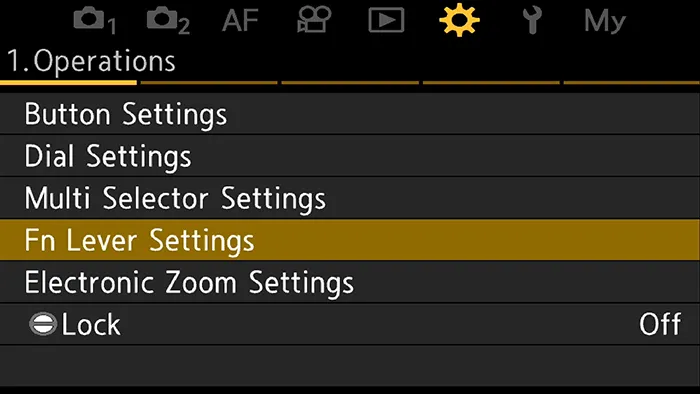
1 In the gear menu, find the entry “Fn Lever Settings”. Highlight it and press OK.
2 Select the first entry: “Camera Fn Lever Function” and press OK again.


3 To use the Fn Lever for switching between S-AF and C-AF, select Mode 2.
Once the Fn Lever is configured this way, the camera remembers the focus settings for each lever position. All you need to do now is dial in your preferred settings for each position. Note that the size and position of the AF area are also stored — and any changes you make to the AF settings while in a given lever position are saved automatically.
Looking for more tips on autofocus settings for the OM-1 and OM-1 Mark II? Check out the other articles in my AF Guide.
If you would like to go back to the overview page, follow this link.
For the complete setup, see OM-1 Settings for Bird Photography – the hub page with all the settings at a glance.