

While cameras from OM Digital Solutions now feature a very capable autofocus, there are still situations where you want or need to focus manually. For these, OM System cameras offer a function called Focus Peaking. This function is available not only for lenses with an electronic interface, but also for lenses from old cameras that are attached via an adapter. With lenses that have an electronic interface, Focus Peaking is activated automatically. For those without an electronic interface, you can assign a button to activate the function.
How do I activate Focus Peaking
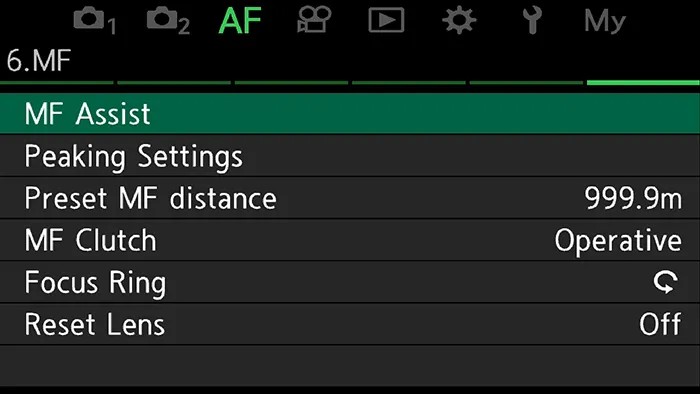
1 Press Menu and go to the AF menu, then select page 6.MF.
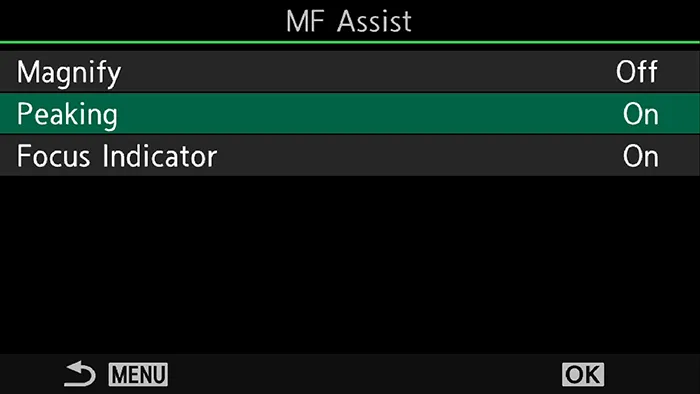
2 Select MF Assist and enable Focus Peaking. If you would also like the focus area to be shown magnified, enable Magnify. The third option is “Focus Indicator”; when this is enabled, an indicator is displayed while focusing that shows in which direction the focus is moving.
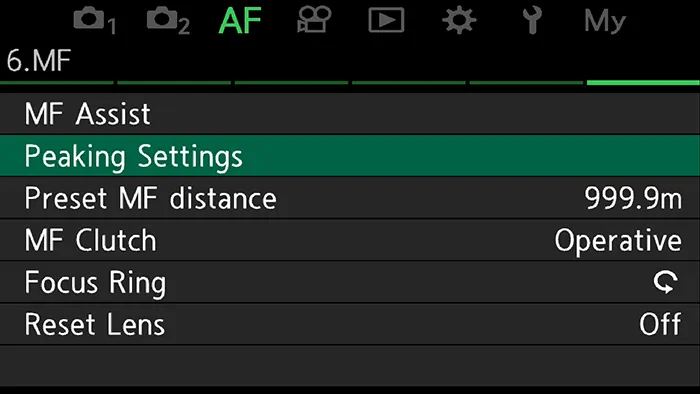
3 Leave the MF Assist menu by pressing the Menu button. Select Focus Peaking Settings. Here you can set how the in-focus edges are highlighted. You can also do this while shooting. To learn how, read my article “Quick access to the Focus Peaking settings“.
How do I use Focus Peaking
If you use a Micro Four Thirds lens with an electronic interface, the settings you made above are activated automatically when you set the camera to manual focus and turn the focus ring. It does not matter whether you use MF or AF+MF. The camera detects when you turn the focus ring and activates Focus Peaking, the magnification and the focus indicator.
This even works with the vast majority of lenses when you pull the focus ring back to engage manual focus. The exceptions here are the M.Zuiko 17mm F1.8 and the M.Zuiko 20mm F2.0. With these, pulling the focus ring back is not detected. However, you can switch the camera to manual focus and thereby activate Focus Peaking. If you want to use Focus Peaking with pulled-back focus rings as well, you can use the same method that also works for lenses without an electronic interface.
How do I use Focus Peaking with manual lenses without an electronic interface
Since the camera receives no signals from lenses without an electronic interface, Focus Peaking cannot be activated automatically. That is why you need to assign a function button that activates and deactivates Focus Peaking when you press it.
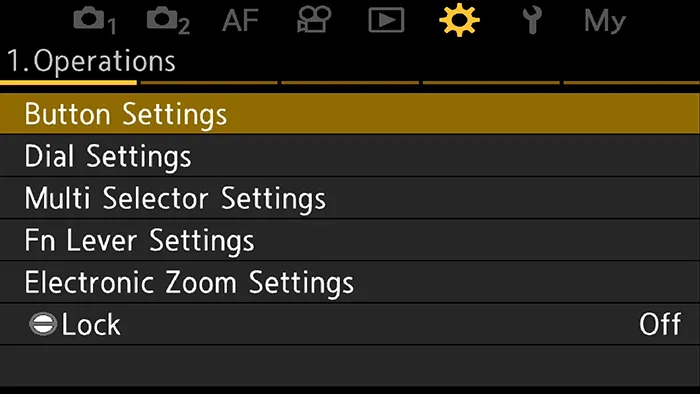
1 Press the Menu button and go to the gear menu, page 1 Operation. Select “Button Settings” and press OK.
2 Select “Button Function” and press the OK button again. Choose any button and press the OK button once more.
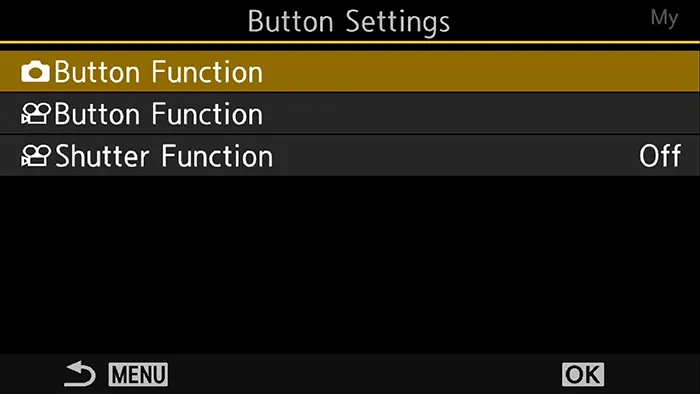
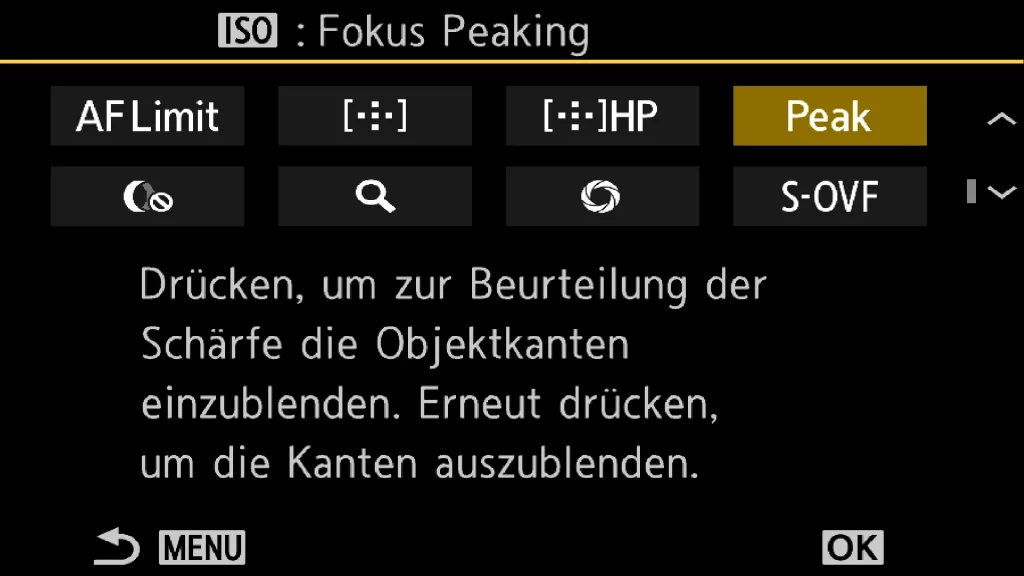
3 Scroll through the available options and select “Peak”. Confirm with the OK button. Then press the Menu button three times or half-press the shutter to close the menu.
With the assigned button you can now activate Focus Peaking at any time — no matter whether you use a Micro Four Thirds lens with an electronic interface or a lens without one.
My settings
I love the support Focus Peaking gives me, especially when I am out with the M.Zuiko 150-400mm F4.5 PRO. As soon as I have to step in manually, it helps me tell whether the subject I want to focus on is actually sharp. Since I use manual focus to assist the AF in difficult situations, I have not enabled the magnification, though. It disrupted my workflow more than it helped.
How do you use Focus Peaking, and which settings do you prefer? Let me know in the comments whether you find Focus Peaking helpful or rather a hindrance.